Case Study
Tesla Fleet & Energy
Designing scalable operational UX across Tesla’s Fleet and Energy applications.
Tesla Fleet & Energy
UX Design
Tesla’s Fleet and Energy teams each relied on separate internal applications to manage complex hardware systems across vehicles, solar, powerpack, and grid infrastructure. The tools were powerful, but fragmented, making it harder for teams to monitor performance, respond to issues, and make data-informed decisions in real time.
I led UX across both the Fleet and Energy applications, helping create greater consistency across the experiences while building the Tesla Enterprise Style Guide to support scalability, shared patterns, and faster delivery across internal tools.
Background
Designing for systems at scale.
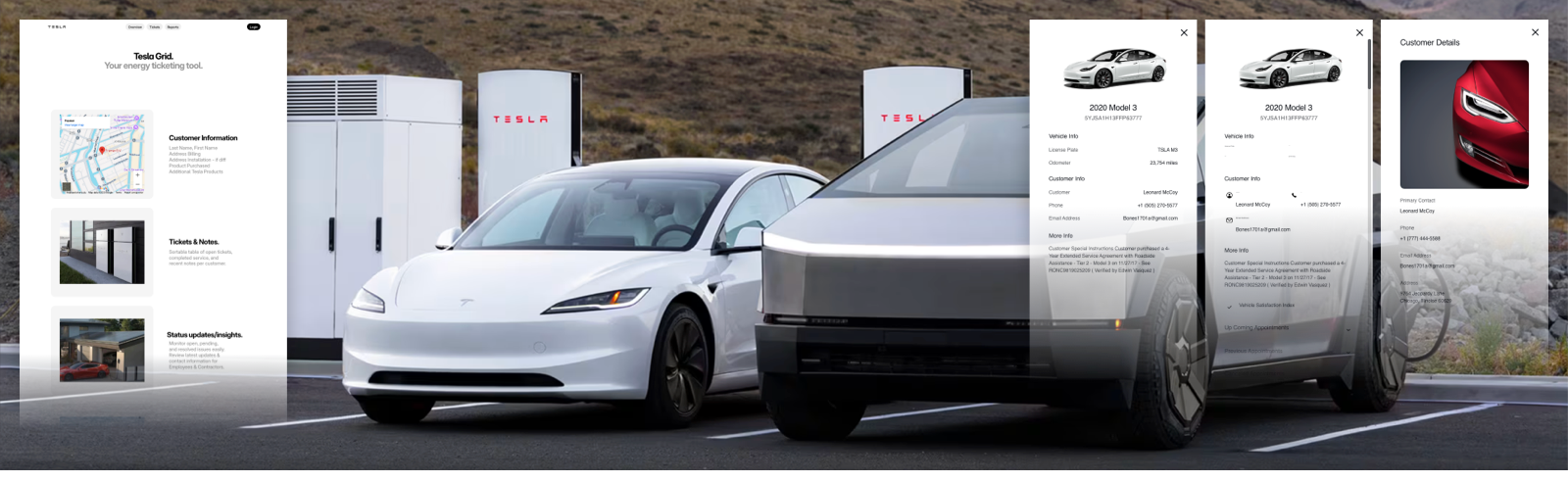
Across Fleet and Energy, Tesla teams were managing large-scale operational systems with very different contexts but similar demands for speed, clarity, and reliability. Monitoring those systems required tools that could handle real-time status, service needs, usage patterns, and alerts across many different workflows.
The challenge was not to combine both products into one app. It was to improve two separate applications while introducing stronger shared UX foundations that could make both experiences easier to use, easier to scale, and easier to maintain.
Problem
Fragmentation was slowing people down.
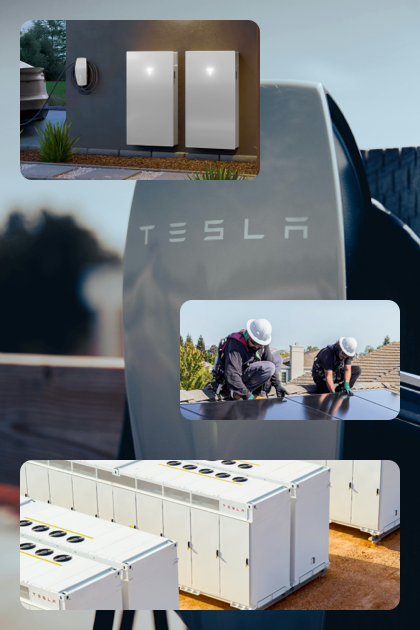
- Inconsistent UI patterns across tools created confusion and slowed onboarding
- Duplicate engineering effort wasted time and resources
- Lack of shared guidelines created friction in design-to-development workflows
- Operational teams had access to data, but not always in a form that supported fast action
The issue was not capability. It was cohesion. As the Fleet and Energy applications evolved independently, the gaps between patterns, workflows, and system behavior became operational inefficiencies.
Discovery
Understanding how teams actually worked across Fleet and Energy operations.
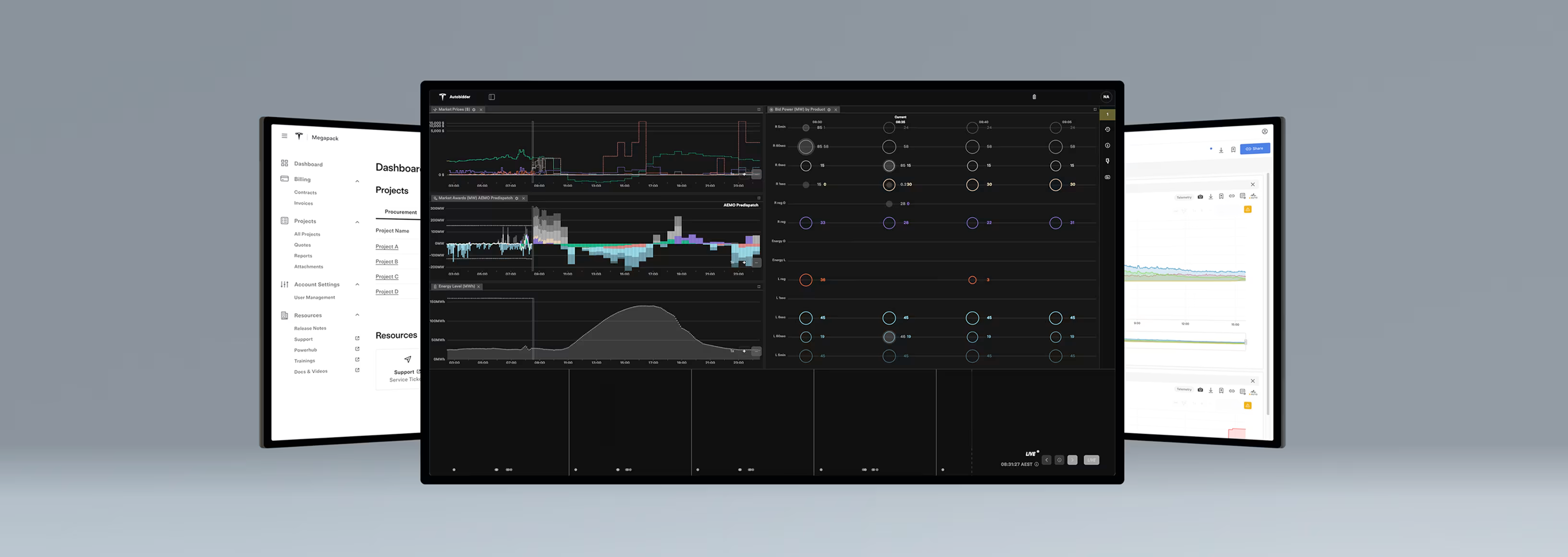
I partnered with product, engineering, and operations teams to audit workflows, review tool usage, and understand how internal users managed fleet uptime and energy site performance in practice.
- Conducted interviews and contextual research with internal users
- Mapped key user journeys across monitoring, diagnostics, and response workflows
- Identified redundant patterns, unclear data hierarchy, and workflow inefficiencies
- Reviewed where fragmented tooling created friction between teams and systems
The key insight was that the problem was not access to information. It was making complex operational data usable in real time across two separate products with overlapping needs but different operational contexts.
Strategy
Creating shared UX foundations across two separate applications.
Rather than forcing both products into a single platform, the goal became creating shared patterns, interaction principles, and design system rules that could support both the Fleet and Energy applications while respecting their distinct workflows.
- Improve each application without collapsing them into one product
- Build a shared design system to reduce UX inconsistencies across tools
- Improve speed-to-action by surfacing the right signals at the right time
- Support faster onboarding and development through standardized patterns
Solution
Turning complex operational data into actionable workflows.
Every part of the experience was designed to reduce friction and help operations teams move more quickly from signal to understanding to action — while improving both applications through a more consistent UX foundation.
- Created dashboards and workflows that surfaced the right operational signals within the Fleet and Energy applications
- Designed custom components for map-based views, site-level data rollups, alert hierarchy, and fleet diagnostics
- Prototyped responsive workflows for desktop and tablet use in field operations
- Established clearer system behavior for critical, warning, and informational states
Design System
Building the Tesla Enterprise Style Guide.
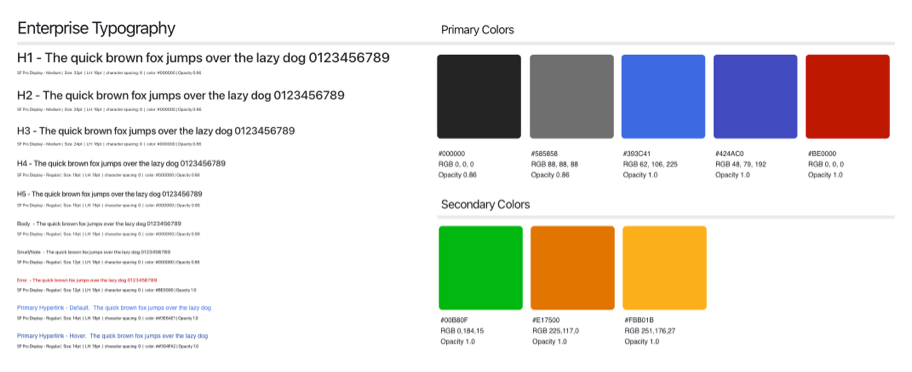
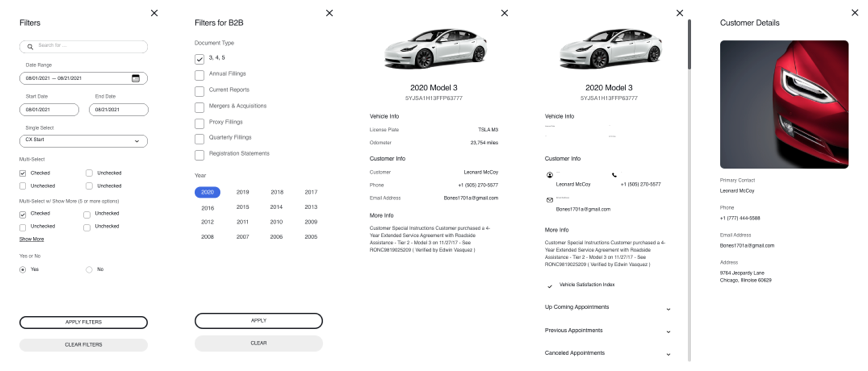
A major part of this work was designing the system beneath the products. I created the Tesla Enterprise Style Guide to unify patterns, reduce redundancy, and create a reusable foundation across internal tools.
- Standardized layouts, components, and interaction patterns
- Defined alert hierarchy and reusable rules for operational states
- Created design guidance for data visualization, dashboards, and responsive workflows
- Improved design and engineering velocity through shared patterns and clearer handoff
The system improved consistency across both applications while also helping teams scale more effectively across the organization.
Impact
Creating clarity, speed, and cohesion across internal platforms.
- Increased clarity and response speed for operations teams working across Fleet and Energy
- Reduced task complexity and improved time-to-decision for site-level alerts and fleet maintenance
- Tesla Enterprise Style Guide adopted by 8+ internal teams
- Improved tool adoption, data comprehension, and internal UX cohesion
My Role
Leading the UX across two operational applications and shared foundations.
- Led end-to-end UX across Tesla’s separate Fleet and Energy applications
- Developed the Tesla Enterprise Style Guide to unify internal tools
- Conducted research and prototyping across multiple user roles and workflows
- Collaborated closely with engineering, product, and field teams to deliver real-time operational tooling
Credits / Team: Product Design, Frontend Engineering, UX Research, Ops PMs
Tools: Sketch, XD, React component library