AI Sandbox Case Study · Playable Prototype · v0.97 · Trivia Mode
Kaijū Run | 怪獣ラン
A playable AI-assisted arcade game prototype that turns a simple idea — a kaijū pushing through Tokyo’s defensive perimeter — into a compact, polished interaction system. The project explores game UX, HUD hierarchy, combat feedback, visual direction, and rapid front-end iteration.

Kaijū Run
Playable prototype · v0.97
Kaijū Run began as an experiment: could I use AI tools to move quickly from a loose arcade concept into a working prototype — while still applying the same judgment I use for product design systems, interaction hierarchy, and complex UI states?
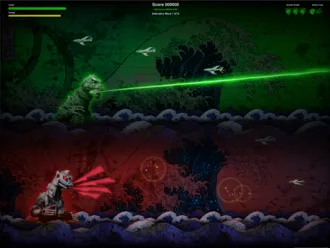
The result is a short, playable attack run where the player controls Godzilla or Mechagodzilla, clears three defensive waves, survives guided missiles and bomber passes, sinks a destroyer, and pushes into Tokyo once the city is exposed. The latest build also adds a Godzilla-universe trivia game with randomized questions, randomized answer order, timed scoring, correct and incorrect feedback, and a mobile-friendly trivia-only mode. It is part game prototype, part UX systems exercise, and part demonstration of how AI can accelerate creative production without replacing design decision-making.
The Opportunity
Make the AI Sandbox feel interactive, not theoretical.
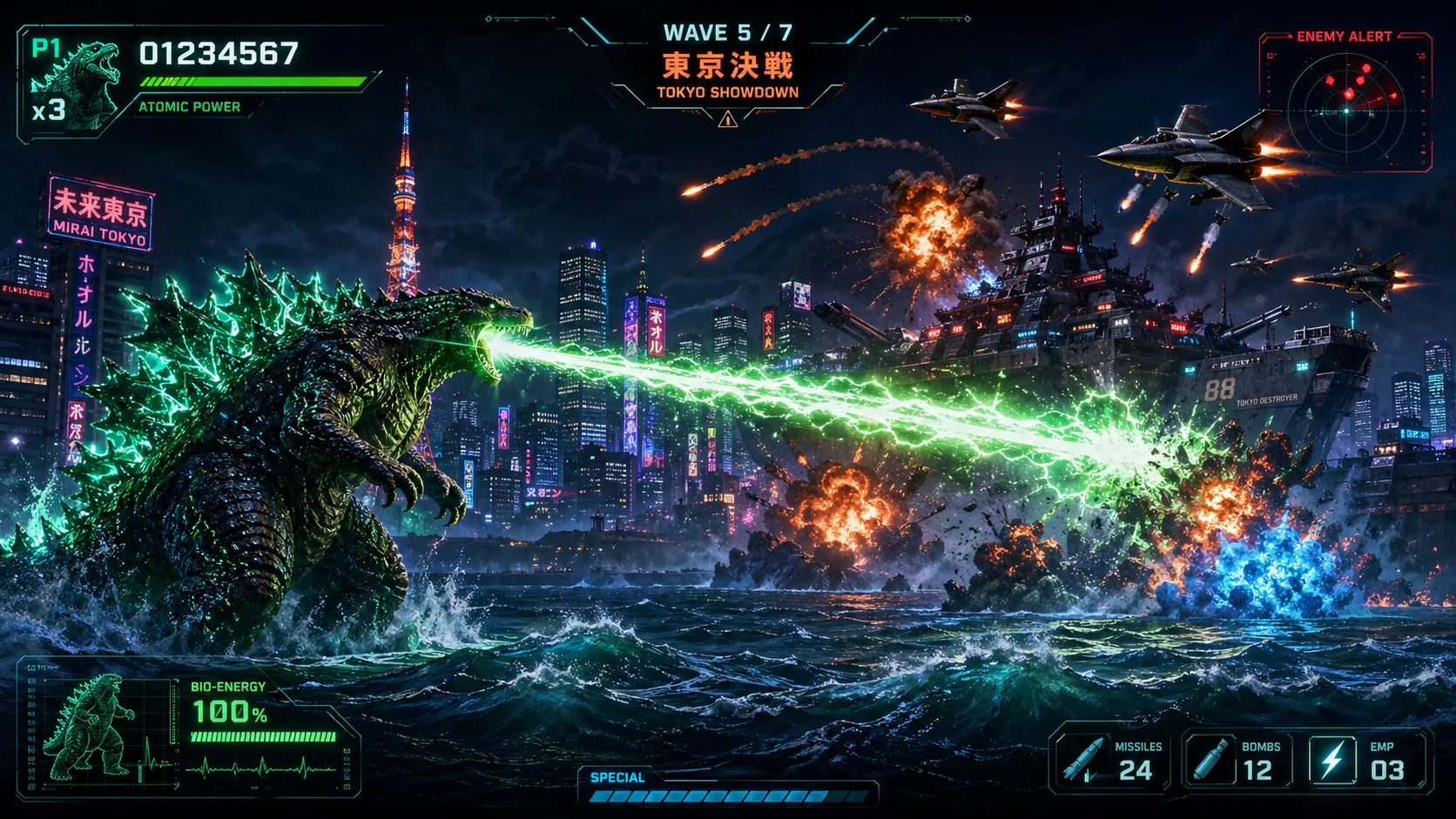
Early visual concepts for Godzilla's Atomic Blast.
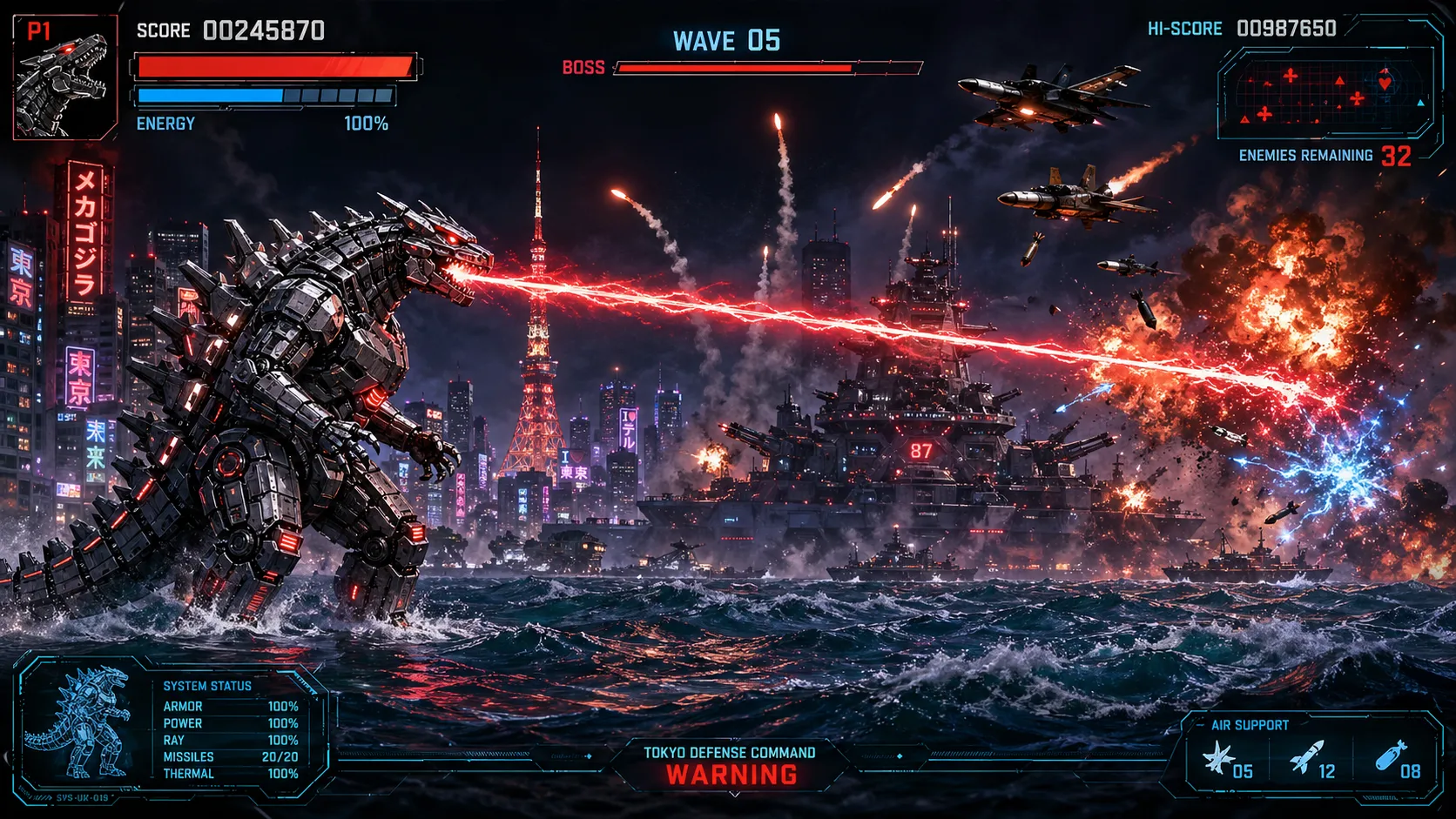
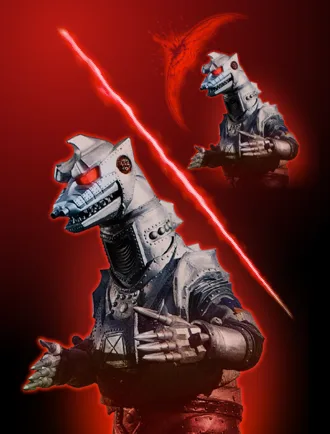
Early visual concept designs & art direction Mechagodzilla.
A lot of AI demos stop at the prompt. I wanted this piece to go further: a functioning prototype with rules, failure states, power balancing, responsive HUD placement, sound, and enough visual polish to feel like a real experiment instead of a static mockup.
The design challenge was clarity. The screen needed to carry a giant playable character, incoming jets, guided missiles, bombs, wave counters, shield states, energy, boss health, score, high score, alert messaging, and cinematic feedback — without becoming unreadable.
Design Strategy
Design the game like a product experience: clear states, strong hierarchy, fast feedback, and constant iteration.
I structured the prototype around a simple progression model: learn the controls, survive pressure, spend abilities wisely, defeat a boss, and finish with a clear final action. Every feature had to support that loop.
The HUD was treated like a compact cockpit. Health and energy stay together on the left. Shield and Atomic Roar live together on the right. Score, high score, wave state, and boss messaging sit in the center. This keeps the player’s scan path predictable even as the action ramps up.
A big part of the polish was keeping the language short and cinematic. Instead of long instructions, the game uses direct arcade prompts like Incoming Jets, Bomber Alert, Sink The Destroyer, and Tokyo’s Defenseless // Move Right To Attack.
AI-Assisted Workflow
AI sped up the build, but the final shape came from editing, testing, and design judgment.
This was built as an intentionally AI-assisted workflow. I used ChatGPT for gameplay ideation, JavaScript iteration, debugging passes, balance suggestions, HUD copy, trivia question structure, answer feedback, and implementation planning. I used image generation to explore kaijū, bomber, skyline, wave, shield, and effect directions, then curated and refined the usable assets.
I also leaned on a modern front-end prototyping stack: HTML, CSS, JavaScript Canvas, Bootstrap page structure, AI-assisted coding workflows, browser testing, asset optimization, and iterative QA. In a real production pipeline, this same approach maps cleanly to tools like Figma for interaction framing, Photoshop / Sketch for asset cleanup, and Cursor-style AI coding for rapid implementation cycles.
The important part was not just generating more ideas. It was editing aggressively: removing clutter, fixing confusing feedback, adjusting difficulty, standardizing asset paths, improving high-score behavior, tuning the trivia layer, and keeping the experience playable.
Game Loop
Three defensive waves, one destroyer boss, one final push into Tokyo.
Start: The player selects Godzilla or Mechagodzilla. Both share the same core rules, which keeps the prototype balanced, while their color, audio, attack effects, and sprite treatments create two distinct identities.
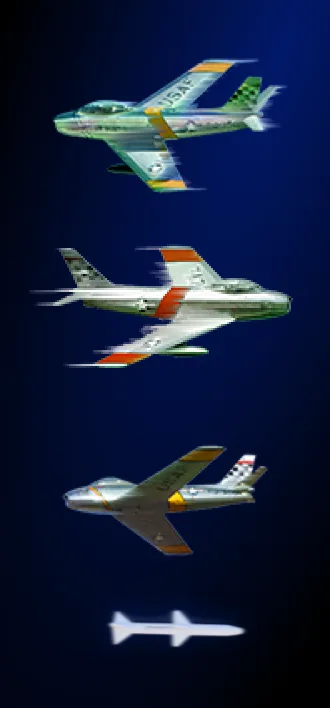
Defensive Wave 1 · 6 jets: Establishes movement, beam attack, shield behavior, guided missile readability, and basic survival pressure.
Defensive Wave 2 · 8 jets: Introduces more pressure and bomber events. The game starts asking the player to manage screen space, not just aim.
Defensive Wave 3 · 10 jets: The final perimeter before the boss. Enemy pressure, missile timing, shield use, and submerging all matter more.
Boss Fight · 0/1: The destroyer enters the waterline with a blue health bar, guided missile fire, and a staged defeat animation. Once sunk, the player gets the final prompt: Tokyo’s Defenseless // Move Right To Attack.
Playable Prototype
A compact arcade build focused on readability, timing, and payoff.
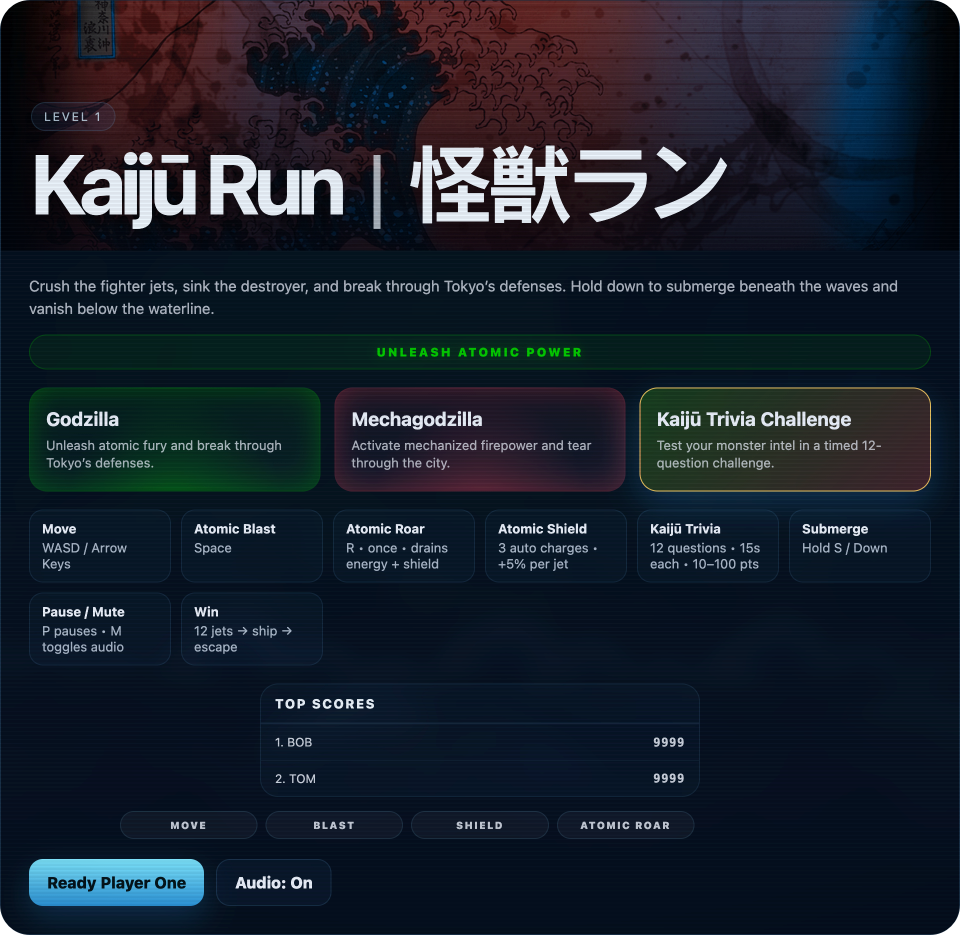
Kaijū Run game HUB
The current prototype includes three defensive waves, boss fight, escape state, player health, energy, shield charges, one-use Atomic Roar, submerging, bomber events, guided missiles, carpet bombing, shared high scores, timed kaijū facts, score breakdowns, and responsive touch controls.
The latest update adds an integrated trivia game that extends the prototype beyond the action loop. Players get randomized Godzilla-universe questions, randomized answer placement, a tighter 15-second timer, clear correct/wrong feedback, a repeated correct-answer reveal, and a score display tuned for arcade readability. On mobile, the experience shifts to a focused trivia-only mode so the page still has a playable interaction even when the full canvas game is not shown.
Mechanics & Rules
Core rules grouped by player, enemies, boss, and scoring.
Player systems: The kaijū starts with 150 HP, 100 energy, and 3 automatic shield charges. The primary attack is an atomic beam. Horizontal movement adds a subtle bob to make the character feel heavier. Submerging hides the kaijū beneath the waterline, but recovery is slower and staying down too long triggers Depth Pressure.
Special abilities: Atomic Shield automatically blocks incoming damage while charges remain. Atomic Roar is a once-per-run emergency clear that drains energy and shield, removes visible threats, damages jets, clips bombers, and leaves the destroyer boss immune so the boss fight still has to be earned.
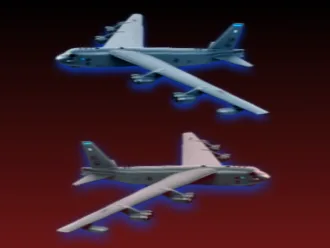
Enemy systems: Jets are the core wave enemies and can fire up to 2 guided missiles. Bombers appear as special events, use two variants, and drop 6 to 8 bombs in a carpet bombing pass. Only one bomber can appear on screen at a time, with a maximum of two bomber events per run.
Boss system: The destroyer appears after Defensive Wave 3. It uses guided missiles with intentionally imperfect tracking, a blue boss health bar, and a multi-stage sinking animation with splash, bubbles, burn effects, and screen shake.
Scoring: The game rewards enemy destruction, survival, city damage control, time bonus, boss completion, and final score. Shared high scores are supported through a small PHP endpoint and JSON score file, with local storage used as a fallback.
Trivia mode: A new Godzilla-universe trivia layer adds randomized questions, randomized answers, a 15-second question timer, correct/wrong feedback, answer reveal, and an arcade score cap designed to stay readable at a glance. The start button consistently uses Ready Player One, keeping the entry point playful and clear.
Kaijū Attributes
Same rules, different feel: organic atomic power vs. mechanical red assault.
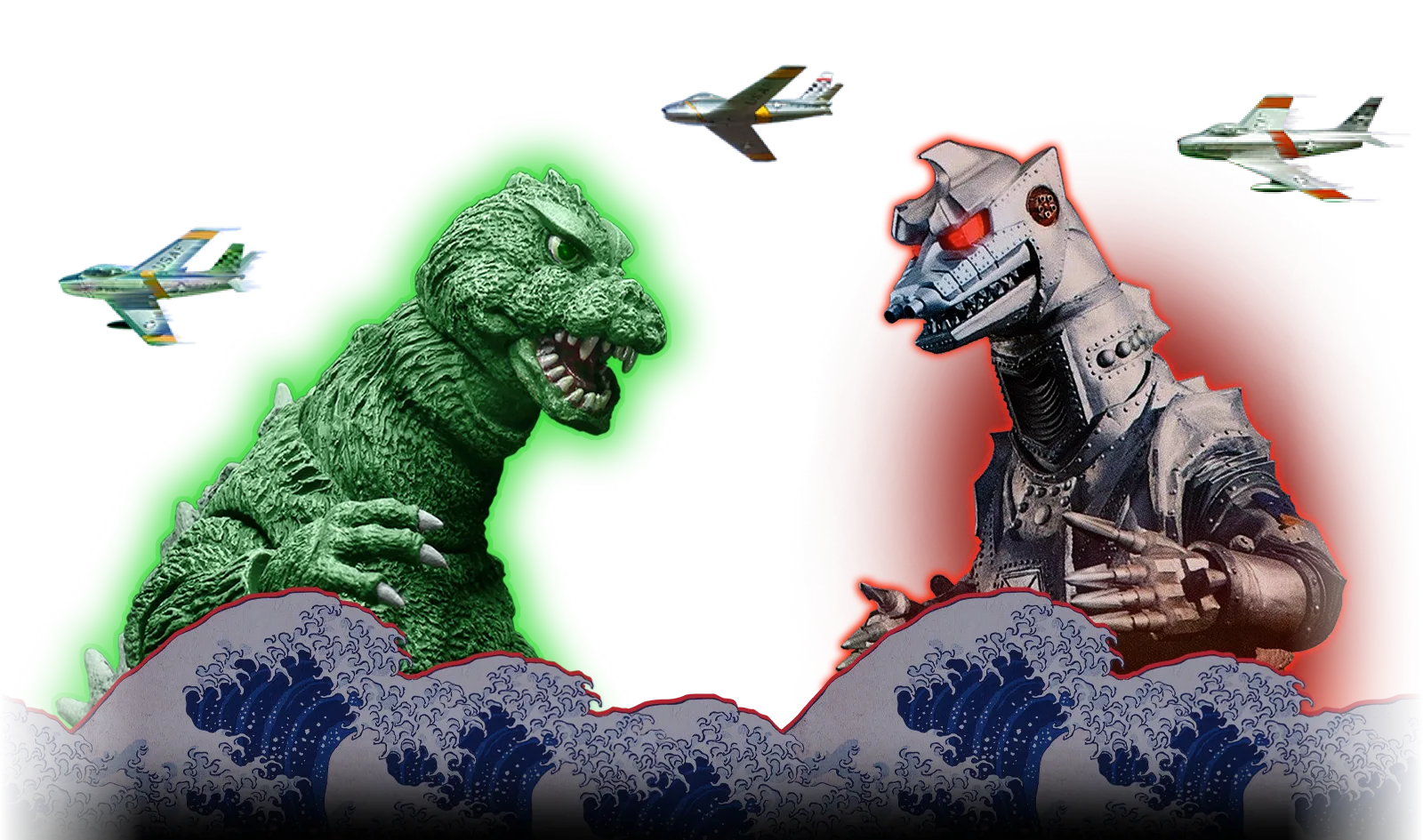
Mechagodzilla’s red energy language creates clear contrast with Godzilla’s green atomic power.
Godzilla: Green atomic energy, organic monster silhouette, green shield states, Godzilla roar audio, and a classic kaijū attack feel. This side of the visual system is meant to feel powerful, biological, and radioactive.
Mechagodzilla: Red laser energy, mechanical silhouette, red shield states, Mechagodzilla roar audio, and a more weaponized machine identity. This side is meant to feel sharper, heavier, and more manufactured.
Shared baseline: Both playable characters use the same HP, energy, shield, beam, submerge, roar, scoring, and collision systems so the prototype remains about preference and identity rather than uneven player advantage.
Asset System
Sprites, weapons, backgrounds, HUD icons, effects, and audio organized as a small production kit.
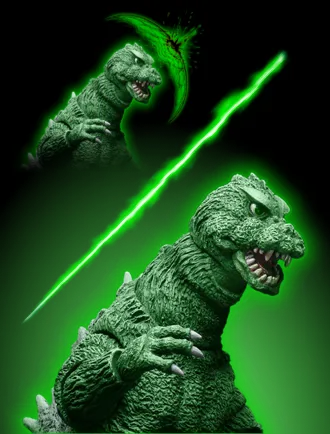
Playable sprites: godzilla-exact.webp,
godzilla-shield-exact.webp, mecha-exact.webp, and
mecha-shield-exact.webp. Shield variants make defensive state visible without
needing additional explanation.
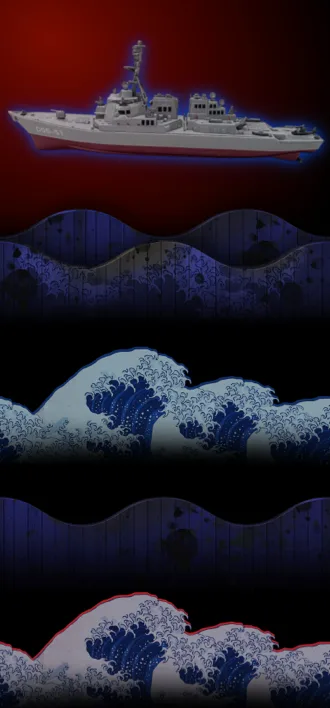
Enemy and boss sprites: jet_001.webp, jet_002.webp,
jet_003.webp, bomber-01.webp, bomber-02.webp, and
destroyer.webp. These assets define the threat ladder from lightweight harassment
to spatial pressure to boss encounter.
Weapons and effects: laser-weap.webp,
laser-weap-red.webp, bomb.webp, kaiju-roar.webp,
kaiju-shield.svg, and kaiju-roar.svg. These assets keep attacks,
shield state, special ability state, and threat types readable.
Environment assets: wave-green-3840.png,
wave-redblue-3840.png, city-green-3840.png, and
city-redblue-3840.png. The wide backgrounds create a sense of motion without
stretching the image or distracting from gameplay.
Audio: godzilla_roar.mp3, mecha_godzilla_roar.mp3,
generated arcade blips, and a lightweight procedural music loop help establish action feedback
without requiring a full audio production pipeline.
HUD & Feedback Design
The screen had to stay readable as the action got louder.
The HUD groups information by what the player needs to understand quickly. Survival data lives on the left, special abilities live on the right, and progression lives in the center. The center status dynamically shifts from Defensive Wave 1 0/6 to Defensive Wave 2 0/8, Defensive Wave 3 0/10, and finally Boss Fight 0/1.
Feedback is layered on purpose: red damage tint, shield flashes, explosion particles, water splashes, guided missile glow, boss health, score changes, trivia answer states, and short status copy. The latest HUD pass also tightened the bottom control layout, added stronger inner glows to the Godzilla and Mechagodzilla buttons, refined kaijū health bar glow, and made the cyan destroyer health bar more visible during the boss fight. The goal was to make the player understand what happened in less than a second.
Tuning & Balance
Challenging enough to feel earned, simple enough to understand immediately.
Balance was adjusted around readability and player control. The kaijū should feel powerful, but not invincible. Guided missiles needed to feel dangerous without becoming unfair. Bombers create a readable carpet-bombing pattern instead of instant unavoidable damage. The destroyer is durable, but its health bar and sinking animation make the boss phase feel concrete.
The current tuning uses fixed wave targets — 6, 8, and 10 jets — instead of a vague cumulative counter. This makes the objective clear at every stage and gives each wave its own pacing.
Trivia tuning follows the same principle: fast, readable, and low-friction. The timer was reduced to 15 seconds, the answer state now tells players whether they were correct or wrong, and the correct answer is shown again so the interaction feels fair instead of abrupt.
Ravage The City
Version 0.97 is playable, polished, and now includes a trivia mode.
Pick your kaijū, break through the defense perimeter, survive the missile chaos, sink the destroyer, push toward Tokyo, or jump into a quick Godzilla-universe trivia challenge.
Takeaways
What this project reinforced about AI-assisted design.
01
AI works best when it has a clear direction. The tool can move quickly, but the designer still has to make the calls.
02
Interactive prototypes reveal system thinking better than static AI experiments because they expose
state, feedback, hierarchy, edge cases, and pacing.
03
Game UX and product UX share the same fundamentals: clarity, hierarchy, responsiveness, affordance,
feedback, and emotional payoff.
Role: Product Design, Game UX, Visual Direction, Front-End Iteration, AI-Assisted Prototyping
Tools: ChatGPT, image generation, AI-assisted coding workflows, HTML, CSS, JavaScript Canvas, Bootstrap, trivia content design, PHP / JSON high-score support, asset optimization, browser QA